As we mentioned in our first GTF quarterly report, the SEEDGov team has developed the VeloraDAO Expense Dashboard, a tool to track DAO expenses as a means of ensuring transparency and accountability. The intention is to make it a living document that evolves based on community iteration and feedback.
To view it, you must have an Airtable account and request access.
In the top-left menu, you’ll find access to three tabs, which we describe below:

DIP
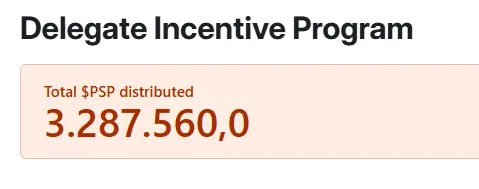
In the first tab, titled “DIP”, you’ll find at the top the total amount of PSP effectively distributed through the Delegate Incentive Program to date.
Below the header, you’ll see the total amount of PSP effectively distributed to each delegate.
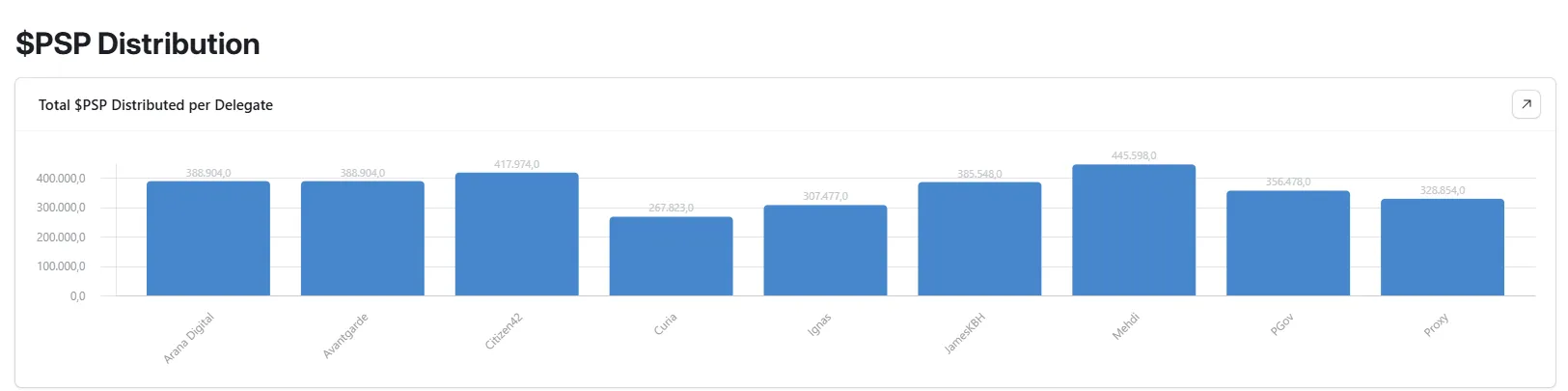
By clicking on a delegate’s bar, a menu will appear showing the details of each transfer: the amount of PSP per transaction, month and year, concept, the origin wallet, the hash and the hash link for each payment.

Further down, a pie chart visually displays the percentage of PSP received by each delegate. Just like the previous chart, clicking on a delegate’s section reveals the full breakdown of all related transactions.

Further down, there is a chart showing the amount of PSP distributed by month.

By clicking on each month, a menu expands displaying the details of the transfers: recipient, amount, month and year, concept, origin wallet, and the transaction hash.

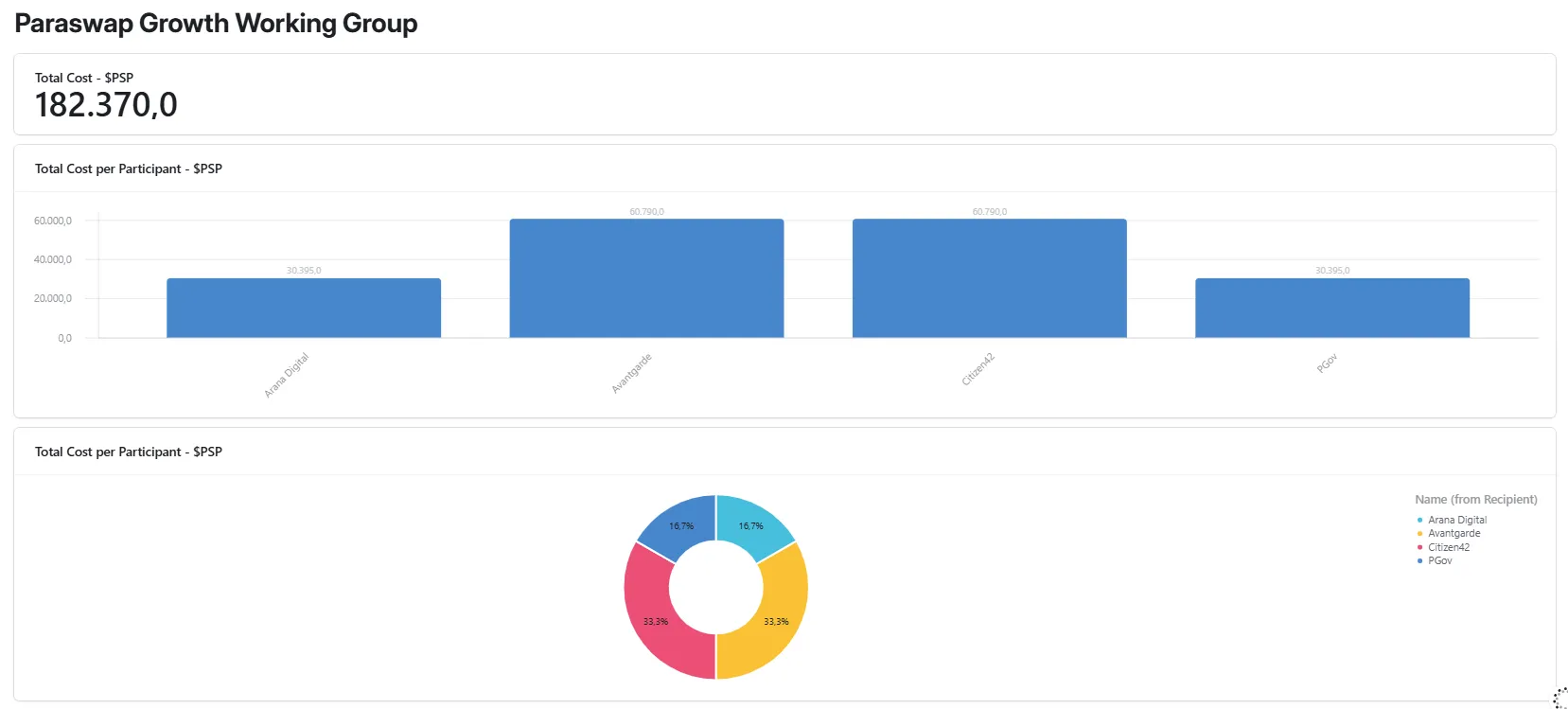
Finally, this same page includes the PSP distributed to the PGWG, a now-dissolved working group. Both a bar chart and a pie chart display the total PSP received by each member. Clicking on each section reveals the details of every transaction.
Service Providers
This section allows you to track the payments received by each Service Provider, broken down by token.
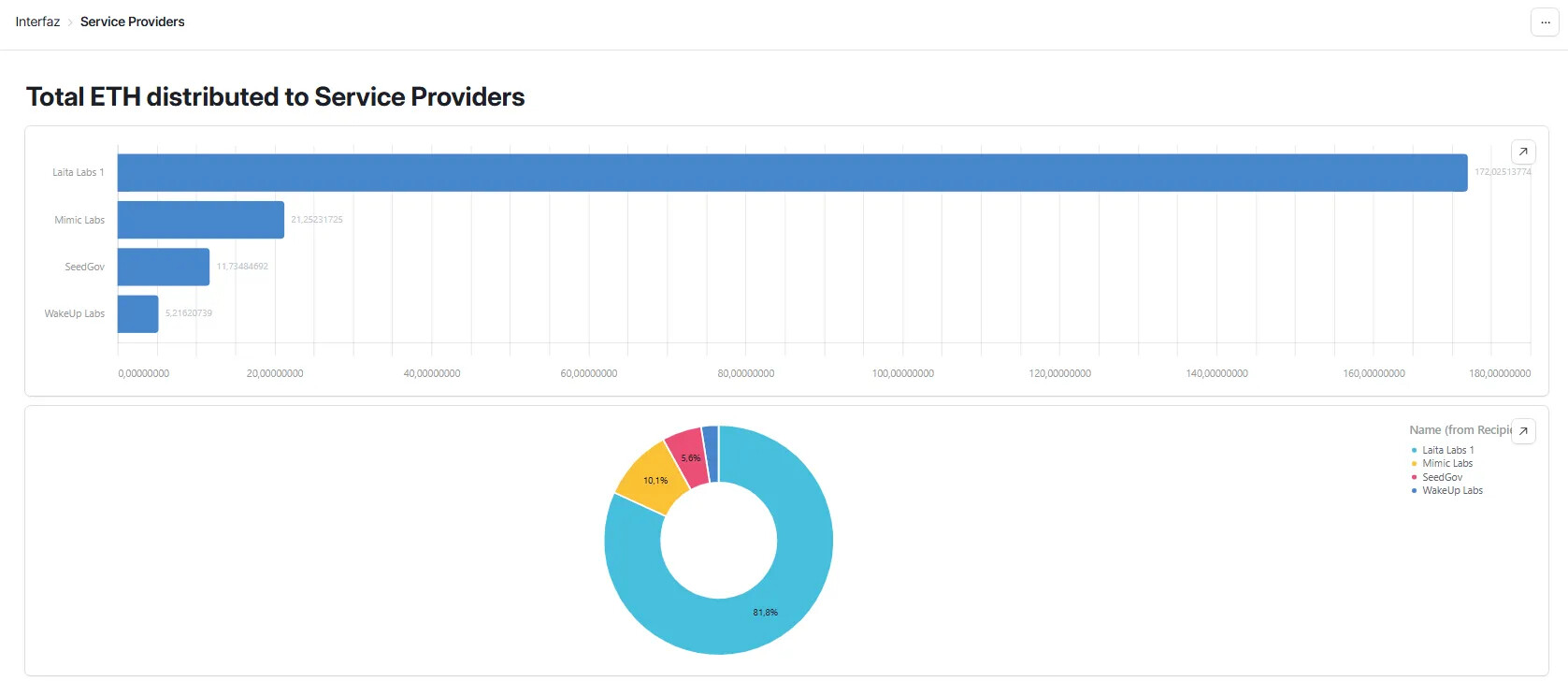
The first set of charts, both bar and pie, displays the total ETH distributed to each Service Provider.
The second set of charts shows the total PSP distributed to each provider.

By clicking on a bar or pie slice, a menu opens with the details of all transfers received by that Service Provider, including token amount, year, month, payment origin wallet, concept, and transaction hash.

Address Book
Finally, this section contains a complete list of all wallet addresses involved in DAO expenses, including those of each delegate, Service Provider, the DAO wallets from which payments originate, and the DAO wallet signers.
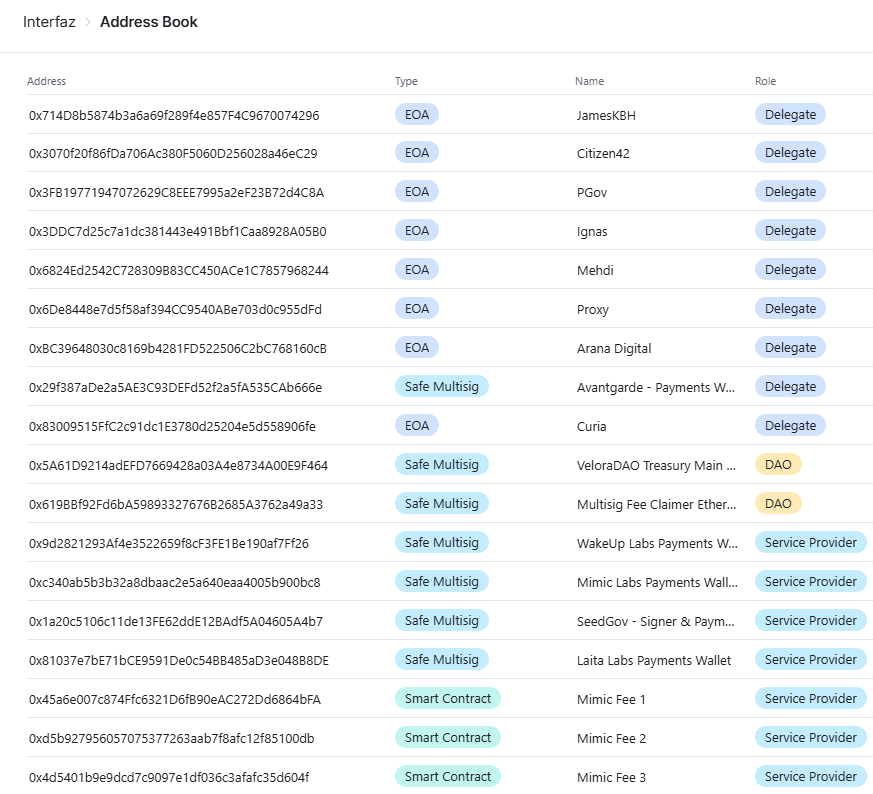
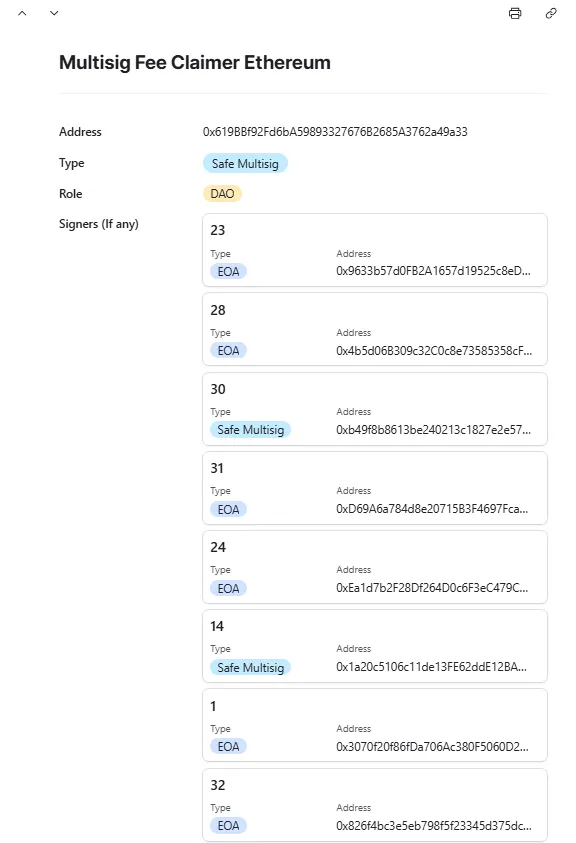
By clicking on each address, a dropdown menu appears that allows you to copy the address, and in the case of DAO multisigs, it also displays the list and details of all associated signer wallets and by clicking on each of them, more information is displayed.
Final Considerations
This dashboard will be continuously updated as the DAO executes new spending transactions.
Our goal is for this to be a dynamic, evolving tool that adapts to the DAO’s changing needs. We are fully open to iteration, feedback, and suggestions from the community to improve it and add useful information.
If Airtable proves insufficient in the future, we are open to migrate the dashboard to a more suitable platform in case any DAO member has a better recommendation about it.
We offer this tool as part of our commitment to transparency and accountability — values we uphold as core principles at SEEDGov. We hope this dashboard becomes a go-to reference for both DAO members and external stakeholders. Our vision is for VeloraDAO to be a benchmark in DAO transparency.
Open an account in Airtable and request access to consult the VeloraDAO Expense Dashboard.
